Order Responsible
Guide to managing Order Responsible in Xena
In Xena, all processes related to quotes, sales, purchases, and deliveries are managed via orders. Filtering orders by order responsible optimises workflows and provides a clearer overview of individual tasks.
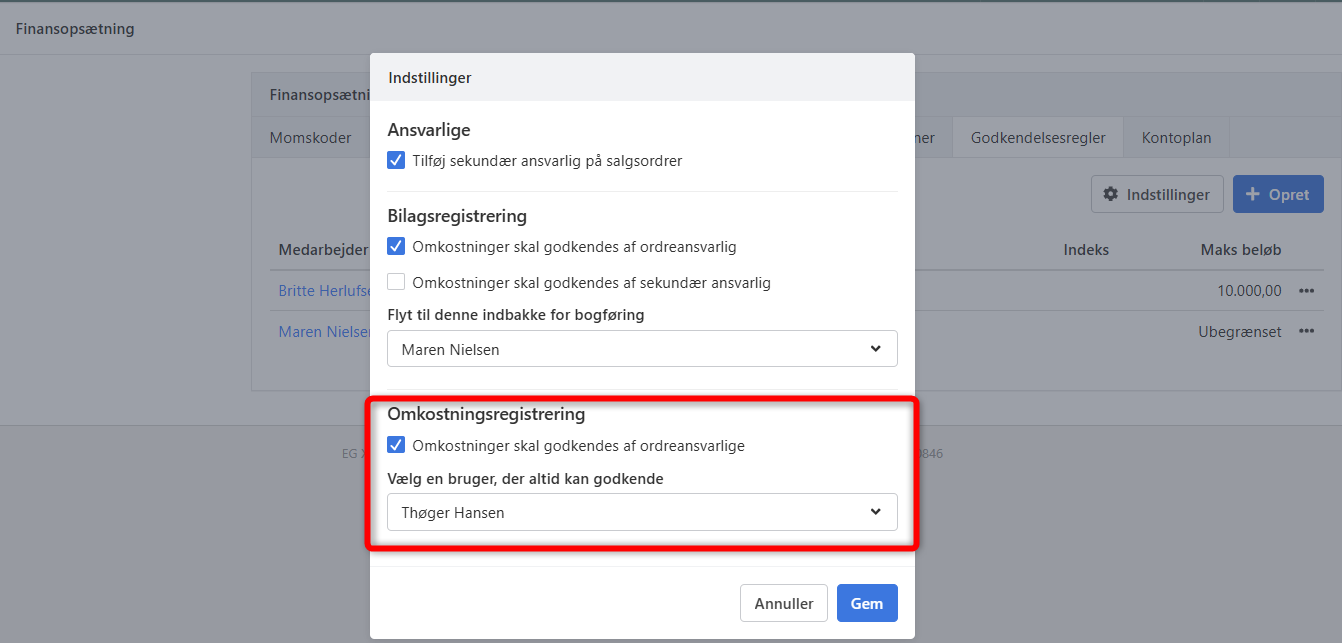
The order responsible also plays a central role in the approval of costs in Cost Registration. Under the approval rules, you can enable or disable whether costs must be approved by the order responsible, and you can select a user who can always approve — e.g. as a backup during holidays or other absences.
Setting up users as order responsible
For a user to be assigned the role of order responsible or secondary responsible, they must have the necessary rights in the system.
Setup procedure:
Navigate to Setup > Company > User memberships
Select the user who should be able to act as order responsible/secondary responsible
Go to the Setup box and open the Employee tab
Enable edit mode by clicking the pencil icon in the top right corner
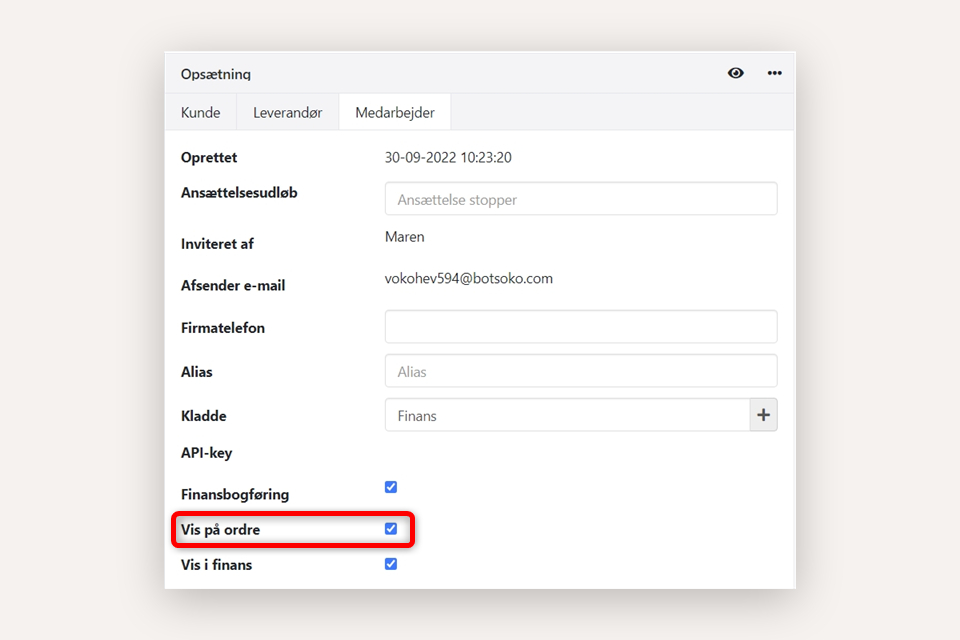
Check the Show on order checkbox
After setup, the user will be visible in the list of possible order responsibles.
Add the "Secondary responsible" field
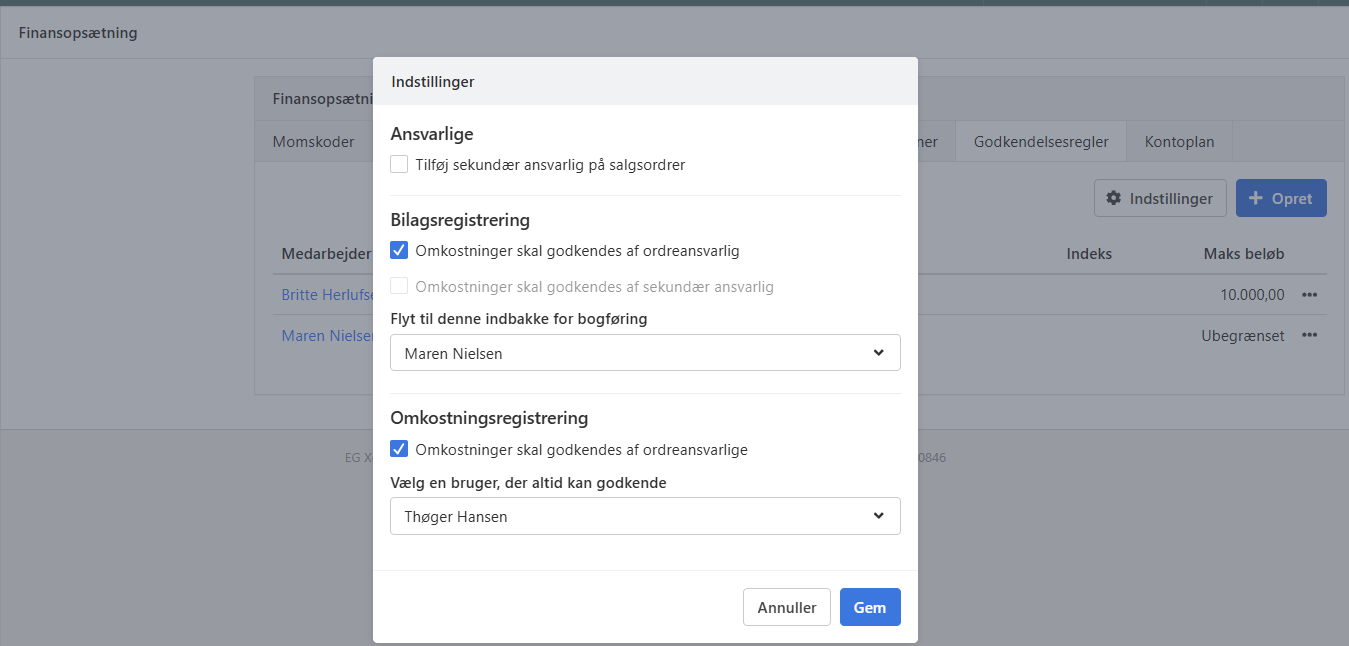
If you need a secondary responsible on sales orders, you can enable the field via Setup > Ledger setup > Approval Rules > the Settings button.
Check the field Add secondary responsible on sales orders to enable the feature. A secondary responsible primarily acts as the first approver of order costs on vouchers posted via voucher registration.
Assign and edit order responsible
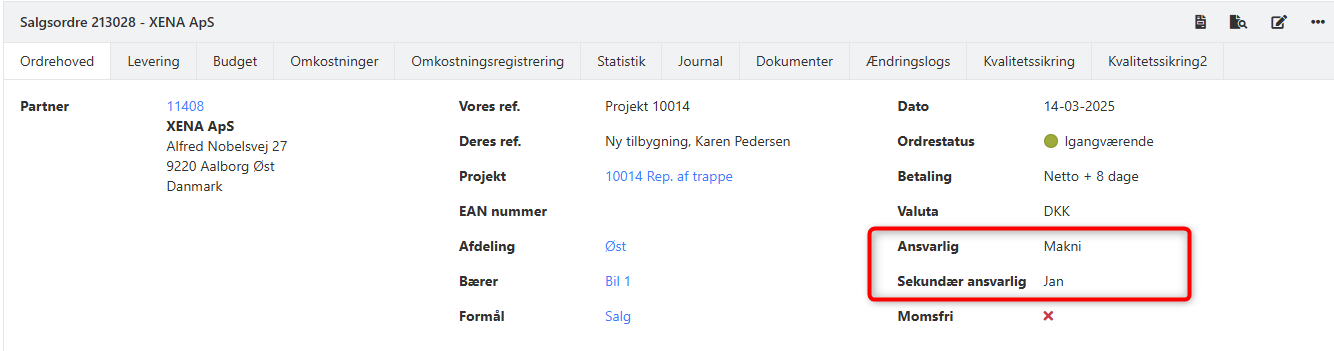
When creating a new order, the user who creates the order is automatically set as the order responsible. This can, however, be changed manually as needed. You can also select a secondary responsible if this field is enabled (see above).
Procedure for changing the order responsible:
Select the menu Sales > Order > Order overview
Create a new order or open an existing one
Select the Order head tab
Enable edit mode by clicking the pencil icon in the top right corner
Delete the existing order responsible in the Responsible field
Select a new order responsible from the list
Use of order responsible
The Order Responsible field can be used as a filter in several overviews and reports:
Order overview (Sales > Order > Order overview)
Status overview (Sales > Status overview)
Project reports (Project > Reports), where it can be used in most reports
Voucher Registration, where the order responsible can approve costs before they are posted
Cost Registration, where registrations can be restricted to approval by the responsible
- Updated