Primo postings
A guide to enterprimo postings in Xena, also known as opening balances.
Primo postings are the starting amounts for your financial accounts, customers, suppliers, and optionally articles. If you are starting a new company, you do not need to enter primo postings. However, if you have an established company, you will need to enter primo postings at some point to have correct starting figures in your accounts.
Entering Primo Postings
You can choose to start with invoicing in Xena and enter primo postings later, or start with primo postings first. Regardless of the order, primo postings must be entered unless it is a newly started company.
It is advantageous to have:
- bank balances
- customer and supplier balances
entered from the beginning, before posting starts. You can enter primo postings gradually; it is not necessary to do everything at once.
Opening balances are entered under Finance > Primo postings. Open the relevant fiscal year by clicking on it.
⚠️ Important: Make sure the start and end date of the fiscal period are correct before starting the entry. If in doubt, contact your accountant.
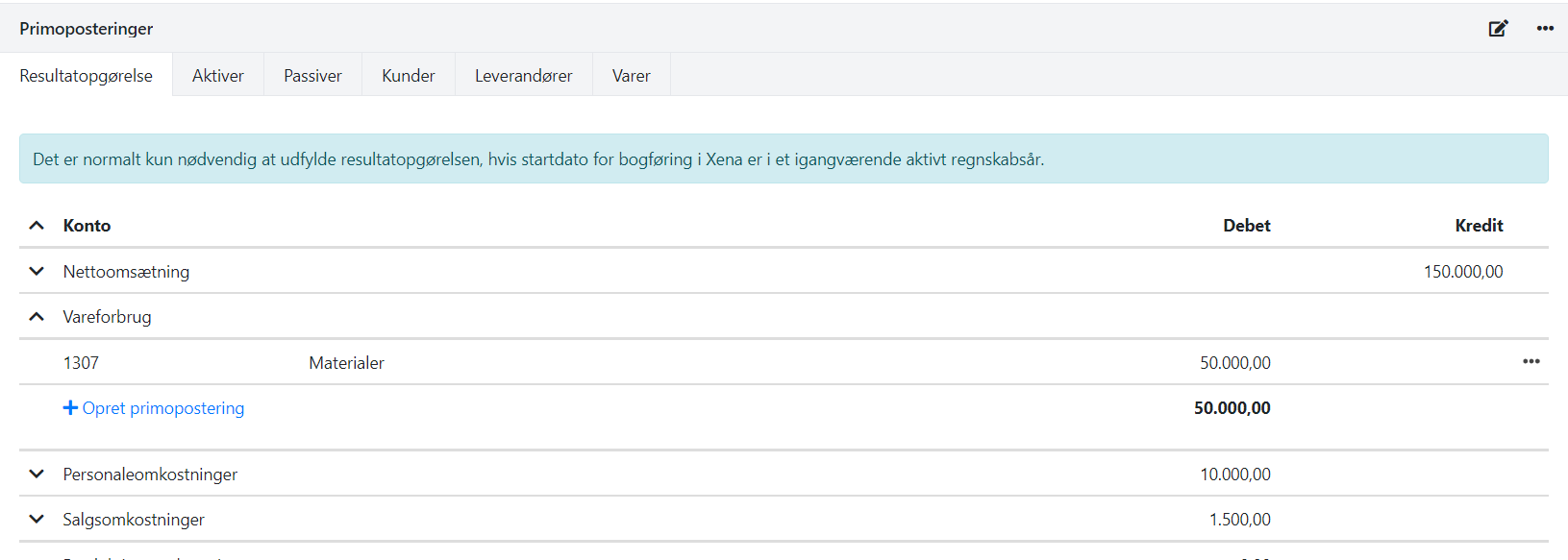
Income Statement
Only in the first fiscal year can you enter primo postings for Income statement.
This is relevant if you start using Xena in the middle of a fiscal period. In subsequent fiscal years, you can only enter primo postings for assets and liabilities.
Each primo posting must be linked to a financial account. In some groups, you select accounts for article groups – for example, in net sales and cost of goods sold. If account numbers are not specified on the article groups, they can be entered via the chart of accounts.
Customers and Suppliers
Via Primo Postings
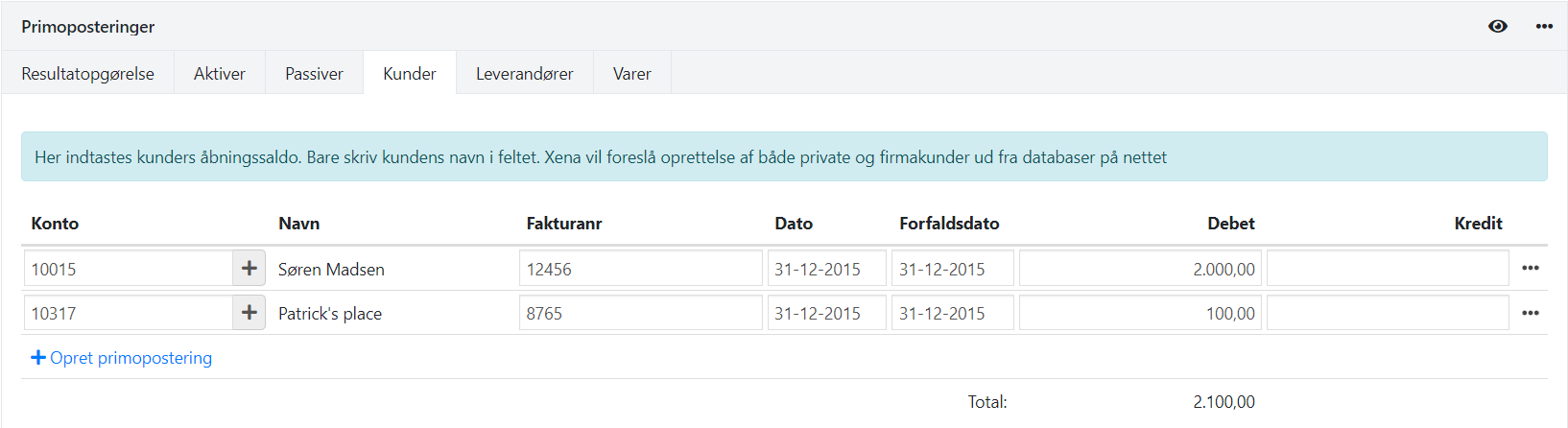
If you start posting in Xena from the beginning of the fiscal year, the opening balances for customers and suppliers are entered via the Customers and Suppliers tabs under Primo Postings. You can enter multiple lines per customer or supplier if you want to specify outstanding amounts at invoice level.
⚠️ The date for opening entries must always be before the fiscal year's start date.
Via Finance Journal
If you start in the middle of a fiscal year, you can instead enter opening balances via the finance journal.
Create two separate financial accounts:
- Create a financial account for your customers' balances in the group Assets > Other Receivables
- Name it, e.g., Opening Balance Customers
- Create a financial account for your suppliers' balances in the group Liabilities > Other Short Term Debt
- Name it, e.g., Opening Balance Suppliers
- Enter the opening balances for the two new accounts via Ledger > Primo Postings as usual
You have now registered the opening balances for customers and suppliers, but in a single sum. The next step is to distribute this balance across your customers and suppliers via Ledger > Ledger entry:
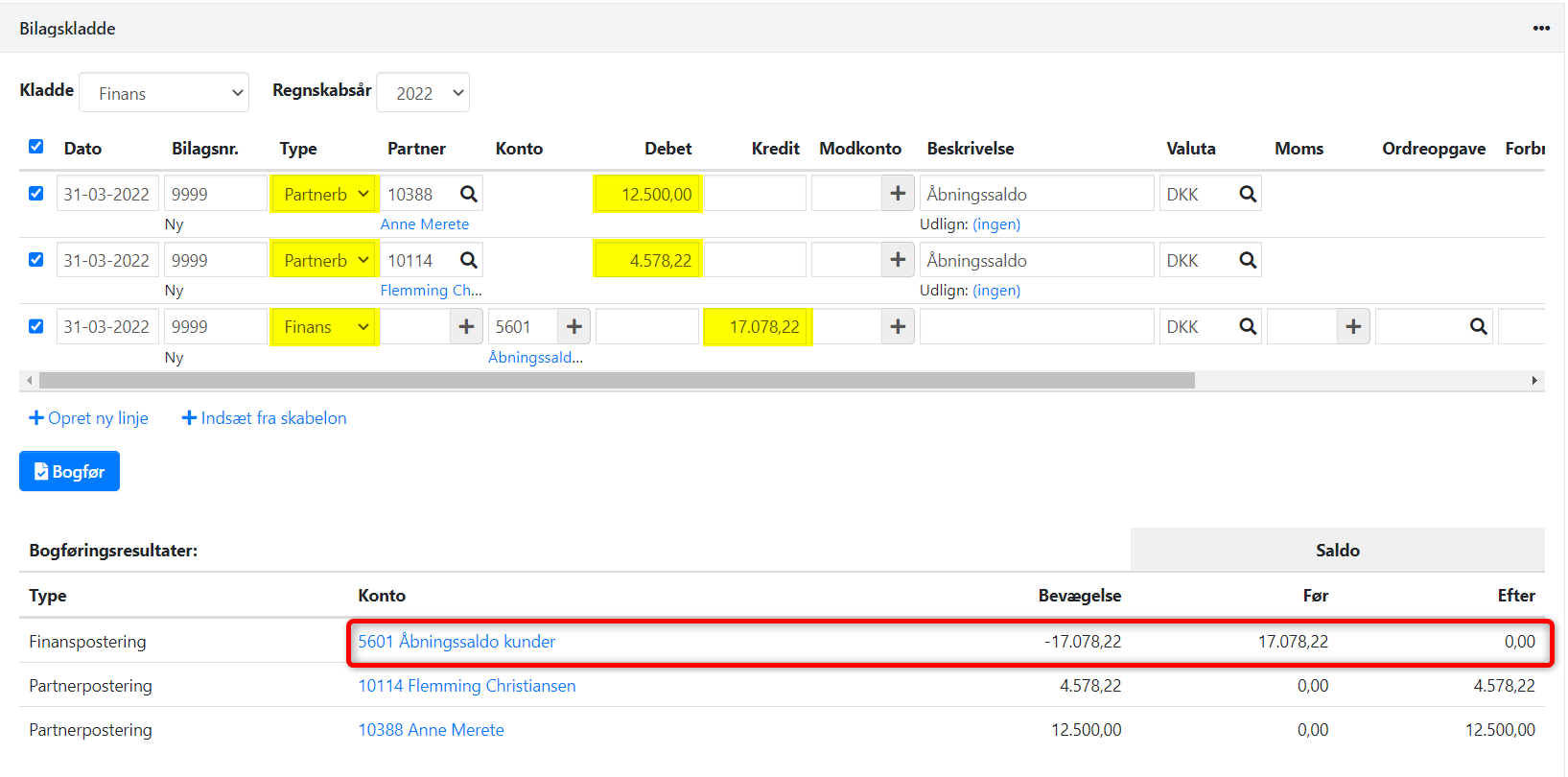
- Create a line for each customer – select type: Partner Payment
- Enter the amount in debit (for a positive balance)
- Finish with a line that zeroes the total balance on the financial account Opening Balance Customers. This amount must match what you previously entered in Primo Postings
- Check under Bookkeeping Results at the bottom that the account Opening Balance Customers is zeroed
- Bookkeep the journal.
Enter your suppliers in the same way. Here, the balance for each supplier is entered in credit, and the total sum for the new account Opening Balance Suppliers is entered in debit.
Note: If you have debtors you owe money to, or suppliers who owe you money, THESE MUST be entered under Ledger > Primo Postings!
Here is an example of an entered journal for debtors:
Stock Value
Opening balances for articles should only be entered if you use stock management. If not, the total stock value is entered directly on a financial account under Liabilities > Manual Stock.
If you have installed the stock management app, you must enter quantity + value per article to calculate the total stock balance. See the section on ➡️ posting opening stock.
Equity Calculation
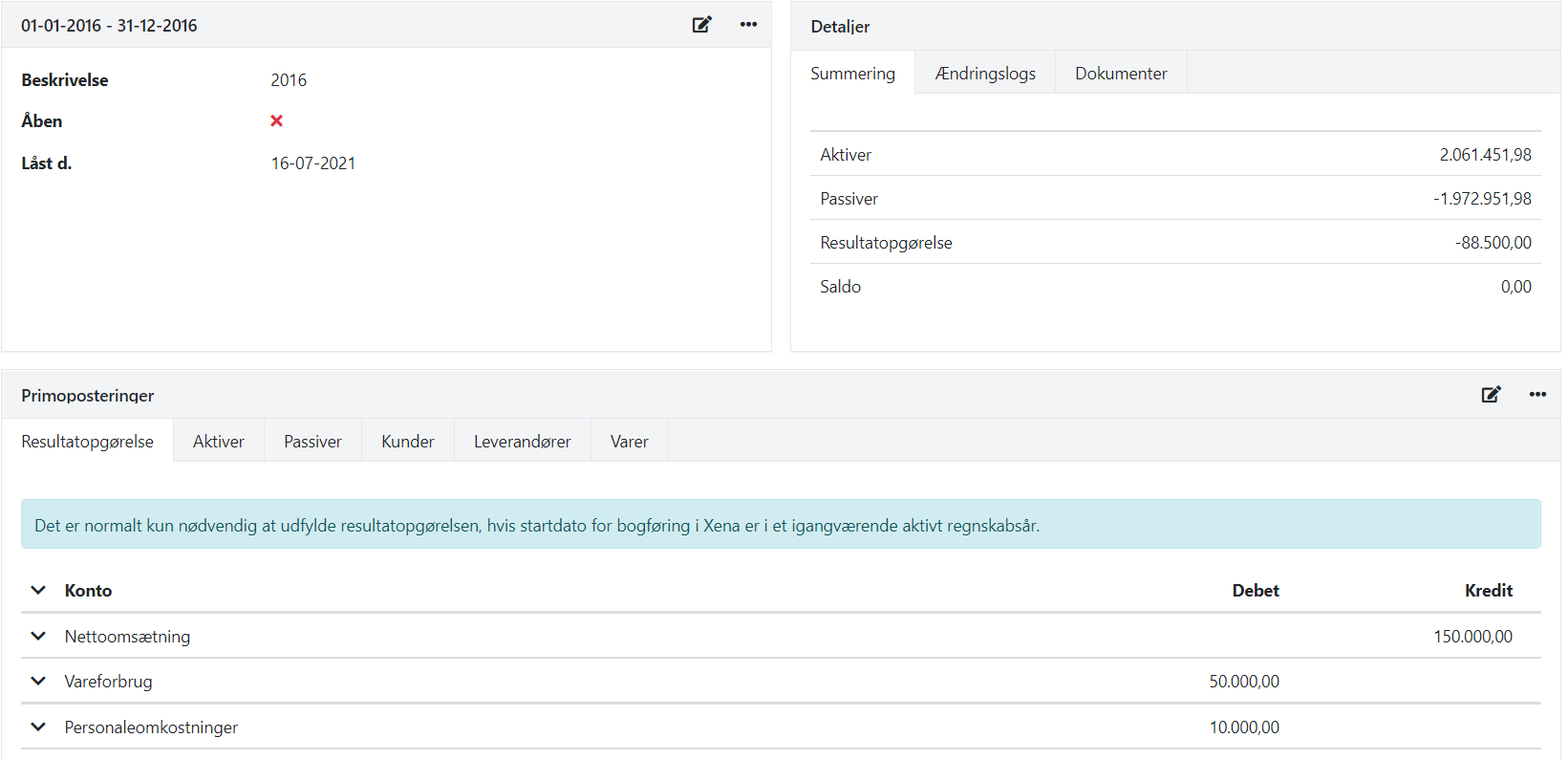
Once the primo postings are entered, click Recalculate primo postings to calculate equity.

The total balance from the income statement, assets, liabilities, customers, suppliers, and articles is automatically posted to equity under the Liabilities tab. You never enter equity manually.
If the balance does not match, it may be due to an incorrect opening balance on another account or tab. Every time you change opening balances, recalculate to ensure the correct equity balance.
- Updated